
Android bootloop repair - phone stuck on logo or keeps restarting
Android phone stuck on the logo, constantly restarting, or booting only into Recovery or Fastboot? I assess whether the fault is software-related, whether the device can be restored to working order, and what risks exist for data stored in memory.
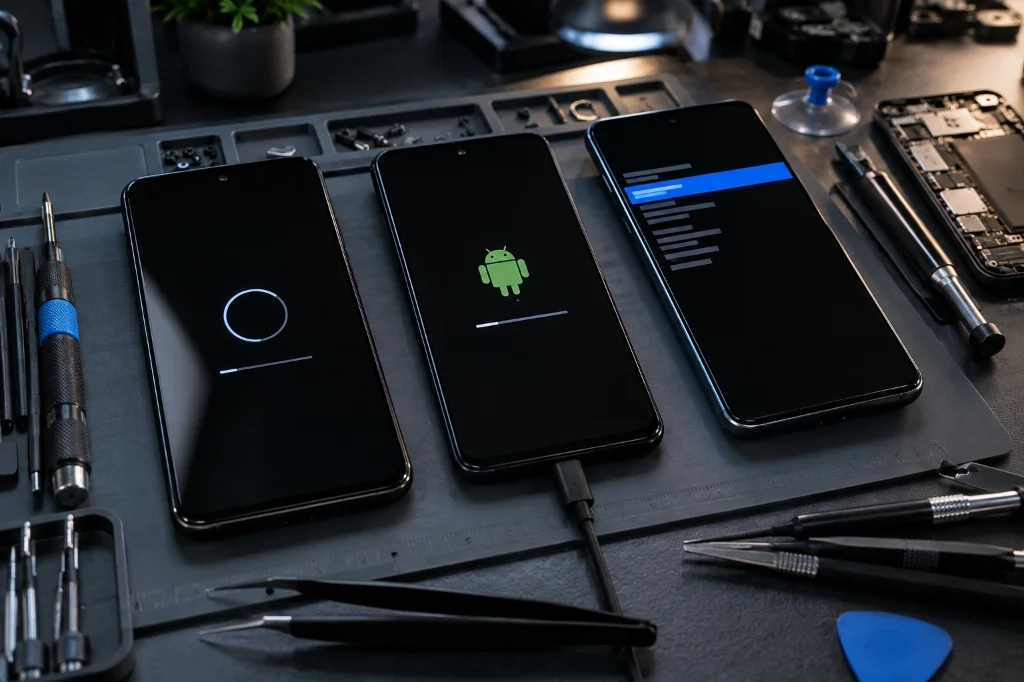
What is a Bootloop?
The term bootloop refers to a state where a phone is trapped in a continuous reboot cycle. The device turns on, shows the brand logo or boot animation, and then abruptly powers off or resets, repeating the process without reaching the lock screen or home screen.
In repair practice, similar symptoms can be triggered by operating system software corruption as well as hardware defects related to power delivery or the motherboard.
Common Symptoms
- phone continuously resets at the manufacturer logo,
- phone hangs indefinitely on the boot logo,
- device boots only into Recovery mode,
- device boots only into Fastboot mode,
- the problem occurred immediately after a system update,
- phone never reaches the lock screen or home screen,
- a system error or boot integrity warning is displayed.
What Can Cause a Bootloop?
Software causes: errors following a system update, corrupted system files, damaged partitions or boot integrity issues, failed firmware modifications, or completely exhausted internal storage.
Hardware causes: a jammed or shorted power button, a degraded battery unable to sustain voltage under load, damaged flash memory, logic board component failure, or the effects of drops and liquid exposure.
What Can Be Done and What Cannot Be Guaranteed?
In many cases, a bootloop is caused purely by a software issue. In those situations, repairing the system or restoring proper boot parameters may be possible. However, because identical symptoms can also be caused by hardware faults, repair success cannot be guaranteed before full diagnostics are completed.
Not every model or hardware platform allows the same service procedures. Actual possibilities depend on the device model, processor platform, Android version, storage condition, and the nature of the fault itself.
What Happens to Data Stored on the Phone?
Modern Android smartphones use File-Based Encryption (FBE), meaning that accessing personal files typically requires the operating system to boot normally and be unlocked with your passcode.
When dealing with a bootloop, the initial priority is often to attempt restoring device operation without an unprompted factory reset. However, this is not possible in every case. Some software repairs require procedures that cause data loss. Data preservation cannot be guaranteed, and successful device repair also cannot be promised in advance.
If a planned repair procedure requires intentionally erasing storage, the client is always notified before any work begins. If data was synchronized with a Google, Xiaomi, or app backup before the fault occurred, part of it may be available for re-download once you sign back into your account.
How Does the Repair Process Work?
- Initial assessment: identifying the exact device model, observed symptoms, failure history, and how the problem started.
- Testing service modes and data risks: checking device response in Recovery and Fastboot modes, testing computer communication, and evaluating whether repair can be attempted without erasing memory.
- Executing the repair: selecting the appropriate procedure, utilizing dedicated service tools, and applying official or correct system files for the specific model.
- Testing: verifying startup stability, battery charging, system restarts, and core smartphone functions.
Service Case Study - Xiaomi Redmi 10 in a Bootloop
A Xiaomi Redmi 10 was brought to the service in a continuous restart loop. The phone communicated with a computer and could enter Recovery and Fastboot modes, but Android would not boot normally.
Standard recovery methods available directly on the phone did not resolve the issue. Following extended diagnostics, software repair was performed using dedicated service tools. Locally stored data could not be preserved due to system security restrictions and Android encryption.
The phone returned to stable operation. Locally stored personal data could not be preserved. This case demonstrates that restoring phone operation and preserving personal data are two distinct outcomes, and neither can be guaranteed prior to diagnostics.
Supported Devices
Repair options are evaluated for selected Android phone models, including Xiaomi, Redmi, POCO, Samsung, Motorola, OPPO, Realme, and others. Feasibility depends on the specific device model, hardware chipset, system version, and fault type. MAdKuM does not provide repair services for Apple devices (iPhone, iPad).
Estimated Price List
| Service | Price (labour) | Details |
|---|---|---|
Initial assessment based on description, photos or quick inspection Applies to initial fault assessment before full diagnostics. It does not include extended disassembly, measurements or microscope work. | 0 PLN | More → |
Extended diagnostics after disassembly or measurements Applies to cases requiring device disassembly, measurements, board inspection, short-circuit detection or microscope work. | from 150 PLN | More → |
Data recovery - basic cases Basic data recovery (e.g. temporary startup, bypass connection). Does not include advanced cleanroom recovery from damaged flash memory. | from 250 PLN | More → |
Factory reset Factory reset of a working device, if the customer has full access credentials. | from 100 PLN | More → |
Phone software repair / bootloop fix Repair of restart loops (bootloop), hanging on logo, post-update errors or Android system corruption. Pricing depends on model and scope of work. | from 150 PLN | More → |
The price from 150 PLN applies to straightforward software cases. More complex cases requiring additional diagnostics, work in service modes, or problem analysis are quoted individually after establishing the scope. Initial assessment based on description, photos, or quick inspection is free (0 PLN). Extended diagnostics after disassembly or measurements start from 150 PLN.
How to Submit Your Device
The MAdKuM workshop is located at ul. Bombardierów 1/3 in Warsaw (Warsaw - Rembertow). Device drop-off is available strictly by prior appointment arranged by phone or via the contact form.
Clients from outside Warsaw or unable to visit in person can send their device via parcel locker or courier after confirming the model, symptoms, and intake feasibility in advance. Please reach out first to confirm acceptance before shipping. For full shipping guidelines, see our Contact page.
Related Services
FAQ
First, disconnect the phone from the charger, make sure the power button is not stuck or dirty, and try forcing a restart using the key combination for your specific model. If the phone continues to reboot repeatedly or hangs on the logo, further restart attempts can deepen the issue or drain the battery completely. At that stage, it is best to consult a professional service.
Not necessarily. In many cases, the cause is software-related - such as an interrupted system update, damaged system files, or a boot integrity error. In these situations, reinstalling or repairing the software may help restore proper phone startup. However, if the restarts are caused by a worn battery, a broken power switch, or a motherboard defect, hardware repair is required.
It depends on the cause of the fault and storage health. In some cases, it is possible to attempt boot recovery without wiping user data. However, certain repair procedures may require operations that cause data loss, and corrupted partitions or encryption errors can also lead to data loss. If memory wiping is required, the client is always notified before the procedure is performed.
Modern Android phones use File-Based Encryption (FBE). This means that without a booting operating system and the correct lock screen passcode, files cannot be directly read or copied to a computer. Restoring device operation and preserving data are two distinct outcomes, and neither can be guaranteed prior to diagnostics.
Being able to enter Recovery or Fastboot is diagnostically helpful information, as it shows the phone still responds in one of its service modes. In many cases, this enables further diagnostics or software repair, but it does not determine the exact root cause or guarantee repair success.
An initial assessment based on description, photos, or quick inspection is free (0 PLN). Software repair for straightforward cases starts from 150 PLN labour. More complex cases requiring additional diagnostics, work in service modes, or problem analysis are quoted individually once the scope of work is determined. If hardware disassembly or measurements are needed, extended diagnostics from 150 PLN apply.
Need an initial device assessment?
Initial assessment of repair feasibility at MAdKuM is free. Briefly describe the problem, provide the device model, and book an appointment.