
SSD replacement in Warsaw Rembertow
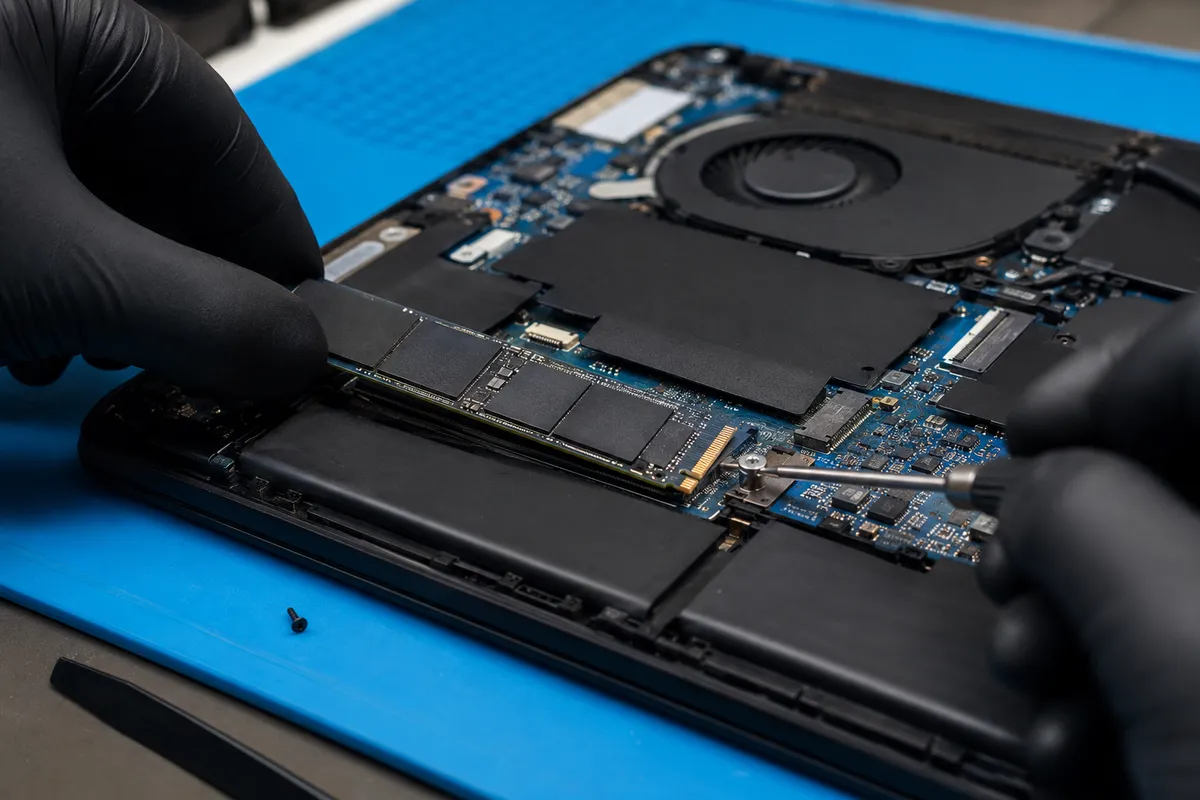
Replacing an old HDD with an SSD is one of the most effective laptop or PC upgrades. I install SSD drives, clone systems, install Windows and transfer data depending on the condition of the old drive and the agreed scope.
When to Upgrade to an SSD?
If your computer takes several minutes to boot, opens applications slowly, freezes during basic tasks, or has an old HDD mechanical drive, upgrading to a solid-state drive (SSD) is the most cost-effective way to get a significant speed boost.
An SSD will not solve every speed issue. If your computer has too little RAM, a corrupted system, overheating issues, or a faulty motherboard, a new drive alone may not be enough. That is why I inspect the overall hardware state before modernizing.
What Does SSD Replacement Include?
- choosing the right SSD type for your laptop or PC,
- verifying the connector type (SATA, M.2 SATA, or M.2 NVMe),
- physically installing the SSD drive,
- installing Windows if a fresh install is preferred,
- cloning the operating system if the old drive is healthy,
- transferring files and user profiles within the agreed scope,
- verifying system stability after installation.
System Cloning vs. Clean Installation
If your old drive is healthy and the system runs stable, it may be possible to clone the entire operating system to the new SSD. This preserves all your programs, user settings, and files exactly as they were.
If the system is corrupted, cluttered, or has severe registry errors, a clean Windows installation is a better choice. This ensures a stable foundation and optimal performance on the new drive.
Read more about fresh system setups: Windows installation Warsaw.
Old Drive and Data Protection
Before replacing the drive, we must decide what to do with your files. They can be cloned, copied to the new SSD, or left on the old drive (which can sometimes be converted into an external backup drive if it is still healthy).
If your old drive has bad sectors, operates slowly, or is physically failing, data extraction can be more complex and may be quoted separately.
Estimated Price List
| Service | Price (labour) | Details |
|---|---|---|
Extended diagnostics after disassembly or measurements Applies to cases requiring device disassembly, measurements, board inspection, short-circuit detection or microscope work. | from 150 PLN | More → |
System installation / update System installation or update, basic configuration, drivers and preparing the computer for use. | from 200 PLN | More → |
Laptop drive replacement Laptop drive replacement. Data migration or system cloning may require an additional quote. | from 150 PLN | More → |
Data recovery - basic cases Basic data recovery from working or partially working storage media. Mechanical damage and advanced cases require an individual quote. | from 300 PLN | More → |
Prices represent labour only. The SSD drive and other parts are quoted separately. The final cost depends on the drive type, data migration scope, and old drive condition.
Related Services
FAQ
Physically replacing a drive in a laptop starts from 150 PLN labour. Cloning the system, clean Windows installation, and file transfers are quoted depending on the scope of work.
Yes, if the old drive does not have bad sectors and the system is not heavily corrupted. If the drive is failing, a fresh Windows installation is highly recommended to protect your files.
Yes. I check whether your computer supports a standard 2.5-inch SATA drive, M.2 SATA, or a high-speed M.2 NVMe PCIe drive, and suggest a reliable model with a good warranty.
In simple cases (file system errors or bad sectors), yes. If the drive has physical head damage or a failed motor, it may require a cleanroom facility, which is a specialized service.
Need a free diagnostics check?
Initial diagnostics and cost estimates at MAdKuM are completely free. Briefly describe the problem, provide the device model, and book an appointment.