
Laptop cleaning in Warsaw Rembertow
If your laptop is loud, hot, slow under load or shuts down unexpectedly, the cooling system may need cleaning. I clean laptop cooling systems, replace thermal paste and check temperatures after service.
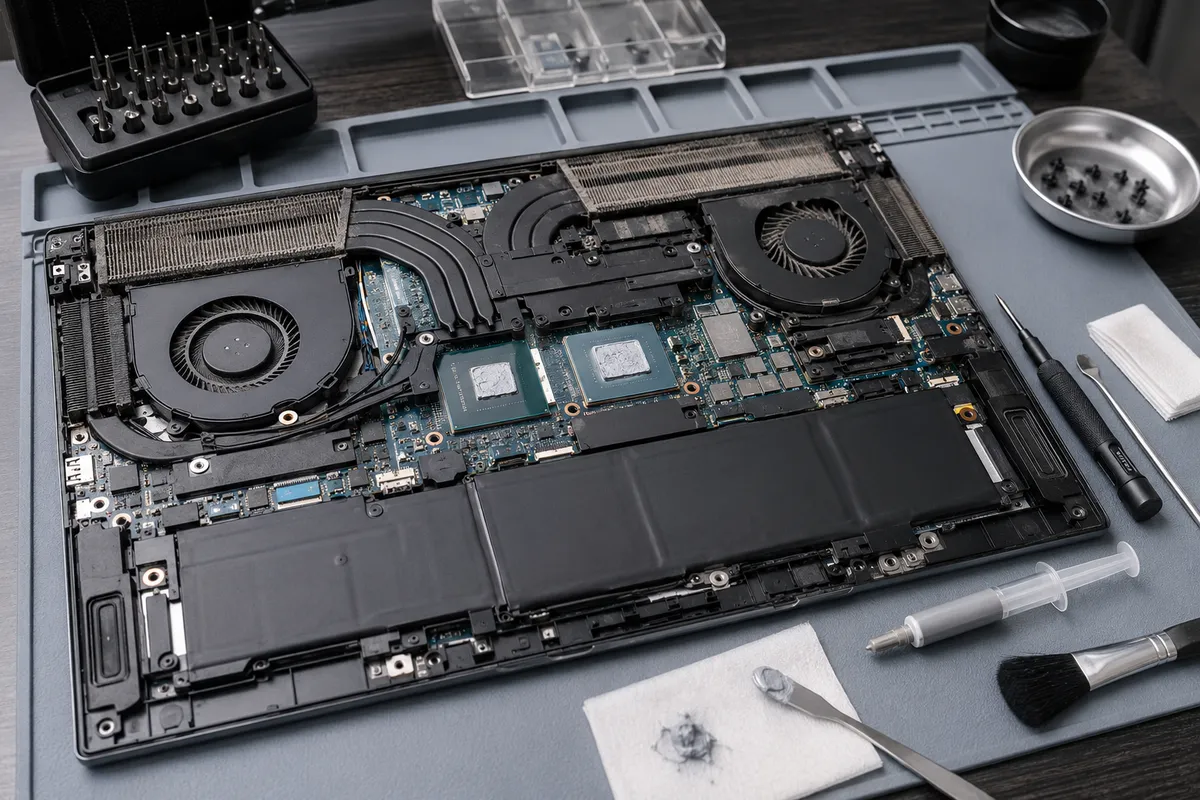
When Does a Laptop Need Cleaning?
Over time, the cooling fan and heatsink in a laptop accumulate dust, pet hair, and lint, while the factory thermal paste dries out and loses its efficiency. This results in high processor or graphics card temperatures, loud fan noise, sudden drops in performance (thermal throttling), system freezes, or sudden thermal shutdowns.
Cleaning and cooling maintenance is highly recommended if your laptop functions correctly but runs hot or slows down under load. In most cases, a thorough cleaning and re-pasting can significantly improve performance and lower noise levels.
What Does Laptop Cleaning Include?
- disassembling the casing to access the cooling assembly,
- removing dust and debris from the fan and heatsink fins,
- cleaning the air vents and exhaust channels,
- removing dried thermal paste and applying high-quality fresh thermal paste,
- inspecting the condition of thermal pads (and replacing them if needed),
- checking the fan bearings and mechanical rotation,
- testing processor and GPU temperatures under load after assembly,
- informing the owner if the fan or heatpipe is faulty.
Thermal Paste, Thermal Pads and Temp Testing
Different laptop models have different cooling system designs. For some, a simple fan clean and re-paste is enough. For others, it is necessary to assess the thickness and placement of thermal pads, check the heatsink pressure distribution, and ensure fan blades rotate freely.
After the cleaning, it is important to test the temperatures under stress. If the laptop still runs excessively hot, the issue could stem from a leaking copper heatpipe, worn fan bearings, motherboard power delivery faults, or system software bloat.
Estimated Price List
| Service | Price (labour) | Details |
|---|---|---|
Initial assessment based on description, photos or quick inspection Applies to initial fault assessment before full diagnostics. It does not include extended disassembly, measurements or microscope work. | 0 PLN | More → |
Extended diagnostics after disassembly or measurements Applies to cases requiring device disassembly, measurements, board inspection, short-circuit detection or microscope work. | from 150 PLN | More → |
Laptop cleaning and thermal paste Cooling system cleaning, thermal paste replacement and basic maintenance. | from 200 PLN | More → |
PC cleaning and thermal paste Desktop PC cleaning, thermal paste replacement and basic maintenance. | from 200 PLN | More → |
Prices are estimates and cover labour only. The final quote depends on the laptop model, cooling assembly design, condition of thermal pads, and disassembly complexity.
Related Services
FAQ
Laptop cleaning and thermal paste replacement starts from 200 PLN labour. The final price depends on the laptop construction, disassembly complexity, and the state of the cooling components.
If the laptop uses thermal pads and they are worn, dry, or torn, I will inform you before performing any extra work. Choosing the correct thickness and hardness of thermal pads is critical for proper heatsink pressure and contact.
Yes, in most cases, if the loud fan noise was caused by dust blockage and high temperatures. If the fan bearings are worn out mechanically, the fan itself will need to be replaced.
Repairs and maintenance are done by appointment only. This ensures I have a dedicated time slot for your device and allows for proper thermal testing after the service.
Need a free diagnostics check?
Initial diagnostics and cost estimates at MAdKuM are completely free. Briefly describe the problem, provide the device model, and book an appointment.