
Integrated vs dedicated graphics card - which one do you need?
Understand the difference between integrated and dedicated graphics cards, when each one is enough and what it means for office work, gaming and repairs.
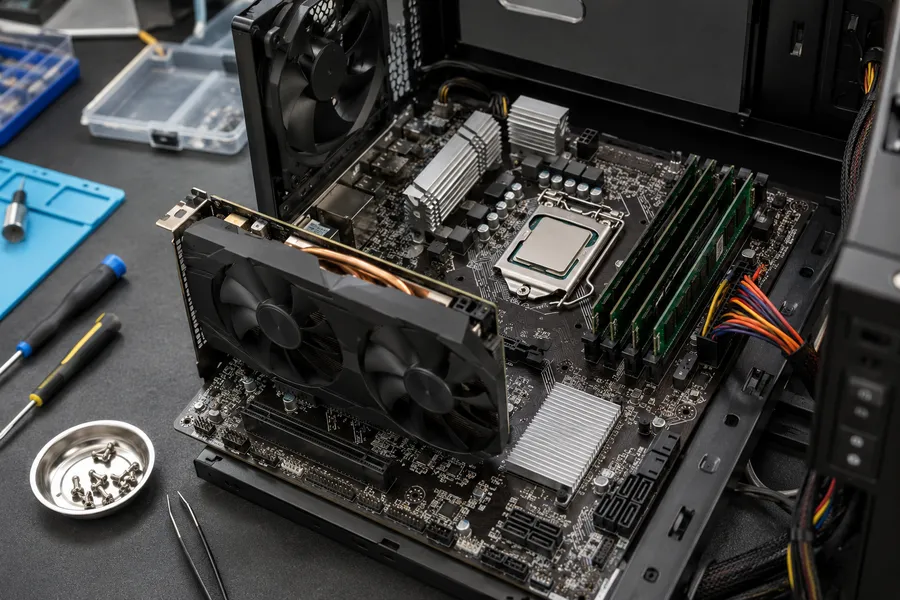
What is integrated graphics?
Integrated graphics is a GPU built directly into the processor chip. It shares system RAM with the CPU and does not have its own dedicated memory. Most modern Intel and AMD processors include integrated graphics - Intel calls them Intel UHD or Intel Iris Xe, while AMD refers to them as Radeon Graphics.
Integrated graphics draw less power and generate less heat, which is why most thin laptops and office machines rely on them.
What is a dedicated graphics card?
A dedicated (discrete) graphics card is a separate chip with its own video memory (VRAM). On desktops it is a card inserted into the PCIe slot. On laptops it sits next to the processor on the motherboard and is soldered in place.
Dedicated GPUs from NVIDIA (GeForce series) and AMD (Radeon RX series) deliver significantly more graphics performance than integrated solutions. They also consume more power and produce more heat, which is why gaming laptops require stronger cooling.
What is each type suited for?
Integrated graphics is enough for
- office work - documents, spreadsheets, email,
- web browsing, video streaming (YouTube, Netflix),
- basic photo editing,
- video calls,
- casual older games with modest requirements.
A dedicated GPU is useful for
- current games at reasonable settings,
- video editing and rendering,
- 3D modelling and CAD work,
- machine learning and GPU-accelerated tasks,
- driving multiple monitors at high resolution or high refresh rate.
Laptops vs desktops
On a desktop you can upgrade the graphics card later if your needs change. On a laptop the GPU is soldered to the motherboard and cannot be swapped. If you need dedicated graphics in a laptop, it must be present from the start - there is no upgrade path.
Many modern laptops switch automatically between integrated and dedicated graphics depending on the workload. Light tasks use integrated graphics to save battery, heavier tasks switch to dedicated. This works well in practice but can occasionally cause issues that show up as display problems or crashes.
Signs of GPU problems
- screen shows no image on startup (see: computer turns on but no display),
- graphical artifacts - dots, lines, coloured rectangles on the screen,
- system crashes or blue screens specifically during graphics-heavy tasks,
- fan running very loud even during light use (GPU heating abnormally),
- display cuts out to black and returns after a few seconds.
These symptoms can have other causes too, so proper diagnostics is needed before drawing conclusions.
Experiencing display or GPU issues? If your computer overheats, crashes during games, or turns on without showing an image, describe your symptoms via the contact form or explore the computer service in Warsaw page - I will help diagnose the root cause.
Related services
FAQ
No. The GPU in a laptop is soldered to the motherboard. External GPU enclosures (eGPU) exist but require a Thunderbolt port, are expensive and are not a standard solution. If you need dedicated graphics, it needs to be in the machine from the factory.
For office tasks, streaming, web browsing and video calls - yes, absolutely. Modern integrated graphics like Intel Iris Xe or AMD Radeon Graphics handle these well. Gaming depends on the specific titles and settings.
Usually the system decides automatically. You can also check in the graphics driver settings (NVIDIA Control Panel or AMD Radeon Software) and specify which programs should use the dedicated GPU.
Need an initial device assessment?
Initial assessment of repair feasibility at MAdKuM is free. Briefly describe the problem, provide the device model, and book an appointment.